Top 25 most-starred Mac apps from the awesome-macOS GitHub repo by iCHAIT
iCHAIT's awesome-macOS is a hand-picked list of 280 Mac apps. Here are its 25 most-starred, plus the 10 closed-source favorites people install most.
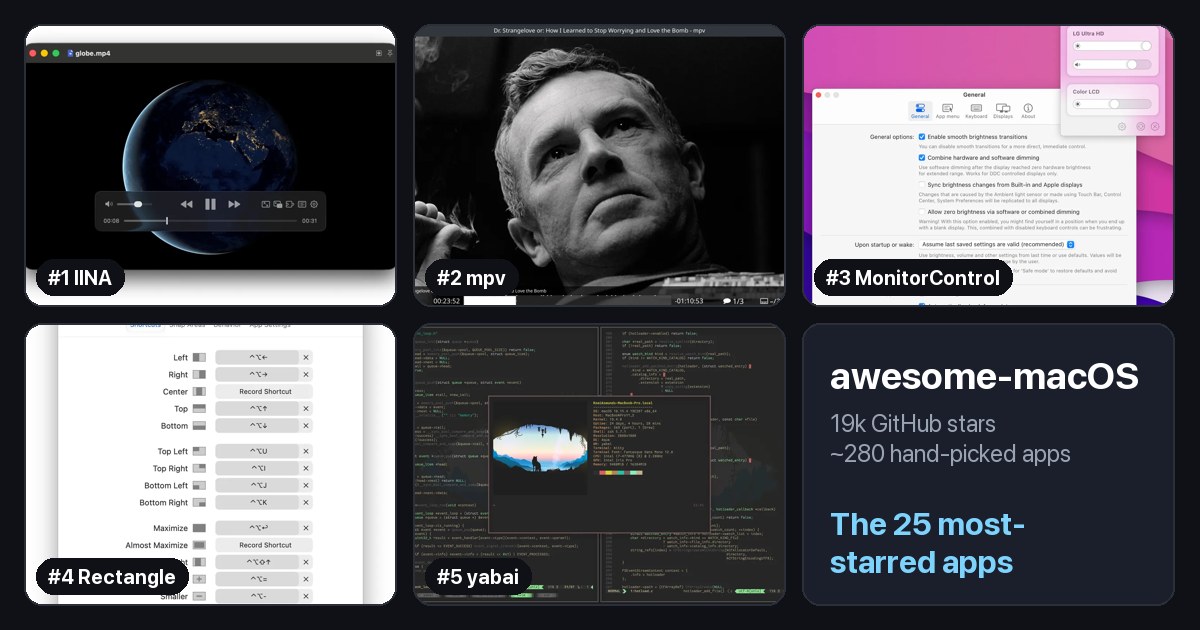
Not every app list needs 1,000 entries. awesome-macOS by iCHAIT is smaller and more selective, and that is what makes it easy to use.
The numbers, as of today:
- 19,000+ stars and over 1,500 forks.
- About 280 apps and tools, in 19 app categories.
- About half are open source. The rest are paid or closed-source favorites like Alfred and 1Password.
- It has been around since 2015, one of the oldest Mac lists on GitHub.
At a glance
| # | App | Category | Stars |
|---|---|---|---|
| 1 | IINA | Video | 47k |
| 2 | mpv | Video | 37k |
| 3 | MonitorControl | Utilities | 34k |
| 4 | Rectangle | Window Management | 30k |
| 5 | yabai | Window Management | 30k |
| 6 | HandBrake | Video | 25k |
| 7 | Aerial | Others | 21k |
| 8 | Background Music | Audio | 19k |
| 9 | iTerm2 | Terminal | 18k |
| 10 | BitBar (now xbar) | Utilities | 18k |
| 11 | OpenEmu | Games | 18k |
| 12 | Amethyst | Window Management | 16k |
| 13 | Hammerspoon | Window Management | 16k |
| 14 | Dolphin | Games | 16k |
| 15 | Transmission | Sharing Files | 15k |
| 16 | TextMate | Editors | 15k |
| 17 | NoteGen | Productivity | 13k |
| 18 | GitUp | Developers | 12k |
| 19 | Boring Notch | Utilities | 11k |
| 20 | NetNewsWire | News Readers | 10k |
| 21 | ImageOptim | Developers | 10k |
| 22 | MacDown | Utilities | 10k |
| 23 | Sequel Pro | Developers | 9k |
| 24 | WWDC | Developers | 9k |
| 25 | Xcodes | Developers | 9k |
How to read the list
Each app gets one line with a short description. Like awesome-mac, it uses two small badges:
- Open source: the code is public, and the badge links to it.
- Freeware: free to use.
No badge usually means a paid or closed-source app.
It also has more than apps. Below the app categories you will find command-line tools, step-by-step guides for setting up a new Mac, a security section, and links to Mac communities on Reddit and IRC.
Categories worth browsing
- Utilities: the biggest section, full of small tools that fix everyday annoyances.
- Productivity: launchers, automation, and focus tools.
- Window Management: snapping and tiling windows.
- Developers: Git, database, and Xcode tools.
- Setup: guides and scripts for setting up a new Mac, great if you just got one.
The 25 most-starred apps
The list does not rank its apps, so I used the one public signal it has: GitHub stars. I looked up the star count for every open-source app on the list and kept the top 25. I only left out things that are not Mac apps: code libraries, command-line tools, server-only software, and other lists.
Each app shows its category in the list (linked to that section) and its GitHub stars. They are all free unless marked otherwise. Star counts are as of October 2026.
1. IINA
Video · ⭐ 47k
IINA is the video player the Mac should have shipped with. It plays almost any format, handles subtitles well, and looks like a modern Mac app, with picture-in-picture and trackpad gestures. If you used VLC on Windows, try IINA first.
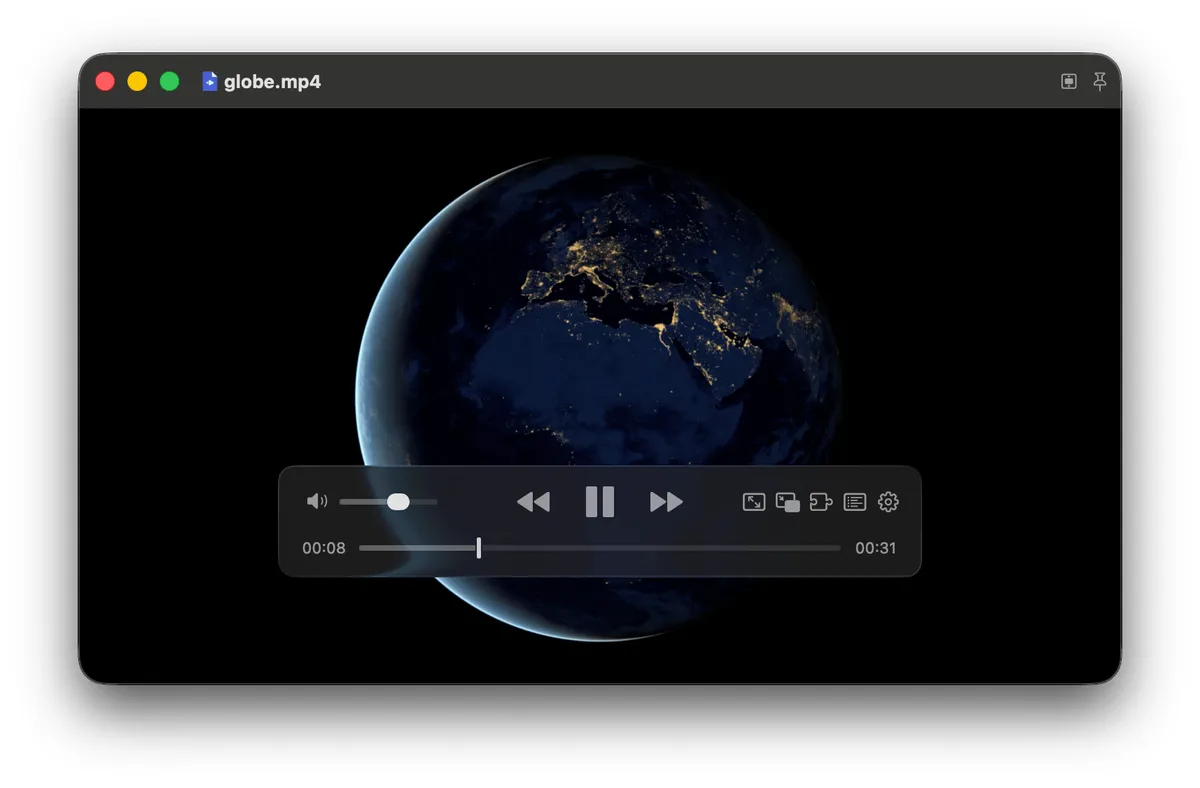
Screenshot: iina.io. Get it at iina.io · GitHub
2. mpv
Video · ⭐ 37k
mpv is a minimal, powerful video player that plays nearly any format with excellent quality. It has almost no buttons and is controlled with the keyboard and a config file. If you want the same engine with a friendly Mac interface, IINA is built on top of mpv.

Screenshot: mpv.io. Get it at mpv.io · GitHub
3. MonitorControl
Utilities · ⭐ 34k
Your Mac's brightness and volume keys only work on Apple displays. MonitorControl makes them work on most external monitors too, with the same on-screen indicator you get on Apple displays. If you use an external monitor, install this.
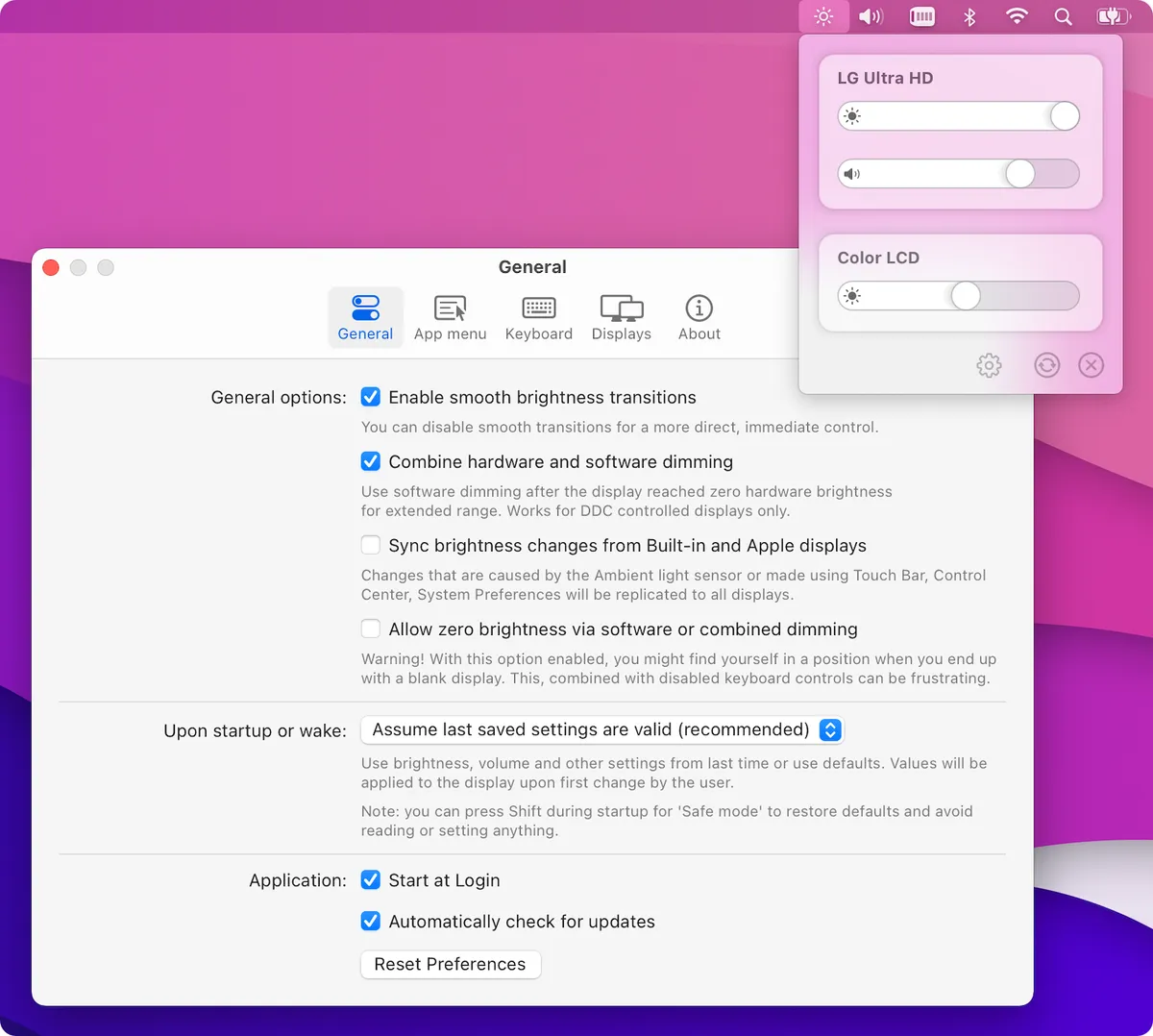
Screenshot: MonitorControl on GitHub. Get it at monitorcontrol.app · GitHub
4. Rectangle
Window Management · ⭐ 30k
Rectangle brings Windows-style window snapping to the Mac. Drag a window to the edge of the screen, or use a keyboard shortcut, to snap it to half, a quarter, or full screen. Newer versions of macOS have some tiling built in, but Rectangle is still faster and more flexible.
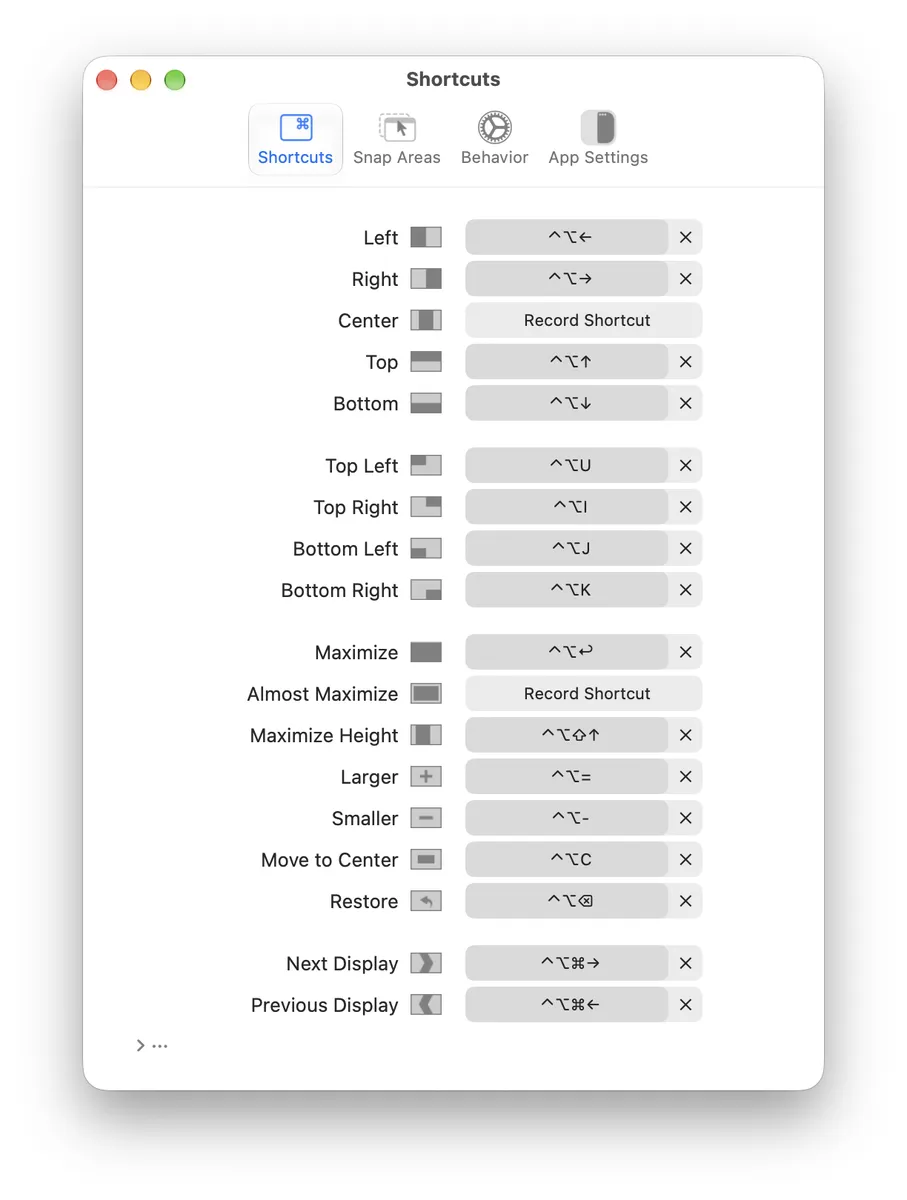
Screenshot: Rectangle on GitHub. Get it at rectangleapp.com · GitHub
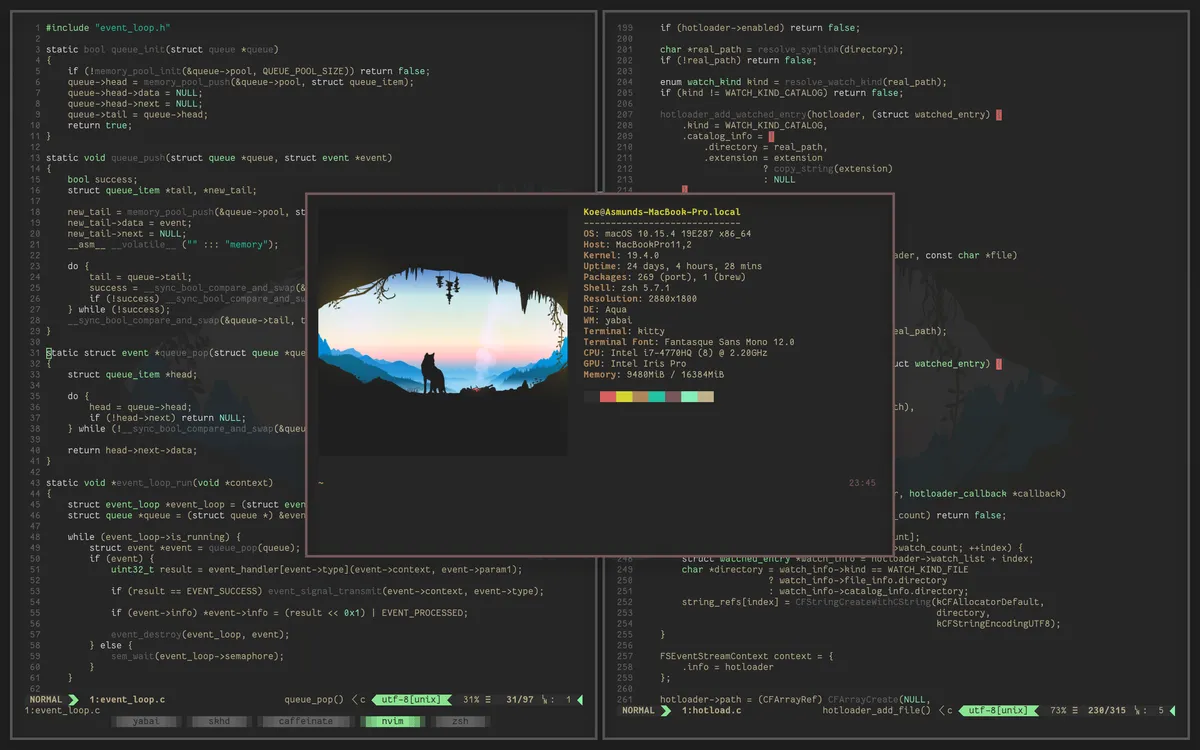
5. yabai
Window Management · ⭐ 30k
yabai is a tiling window manager: it automatically arranges your windows so they never overlap, and you move between them with the keyboard. It is powerful but technical, set up with a config file and usually paired with a hotkey tool. Some features need part of macOS's security protection turned off.
Screenshot: yabai on GitHub. Get it on GitHub
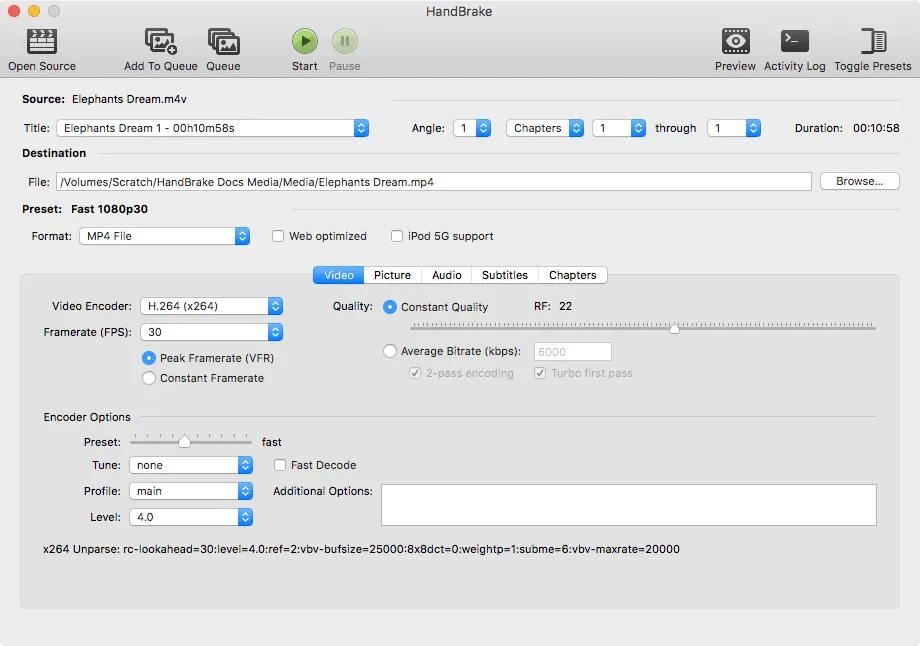
6. HandBrake
Video · ⭐ 25k
HandBrake converts video from one format to another. Shrink a huge screen recording, make a file play on an old TV, or turn an MKV into an MP4. Its presets mean you rarely need to touch the advanced settings.
Screenshot: handbrake.fr. Get it at handbrake.fr · GitHub
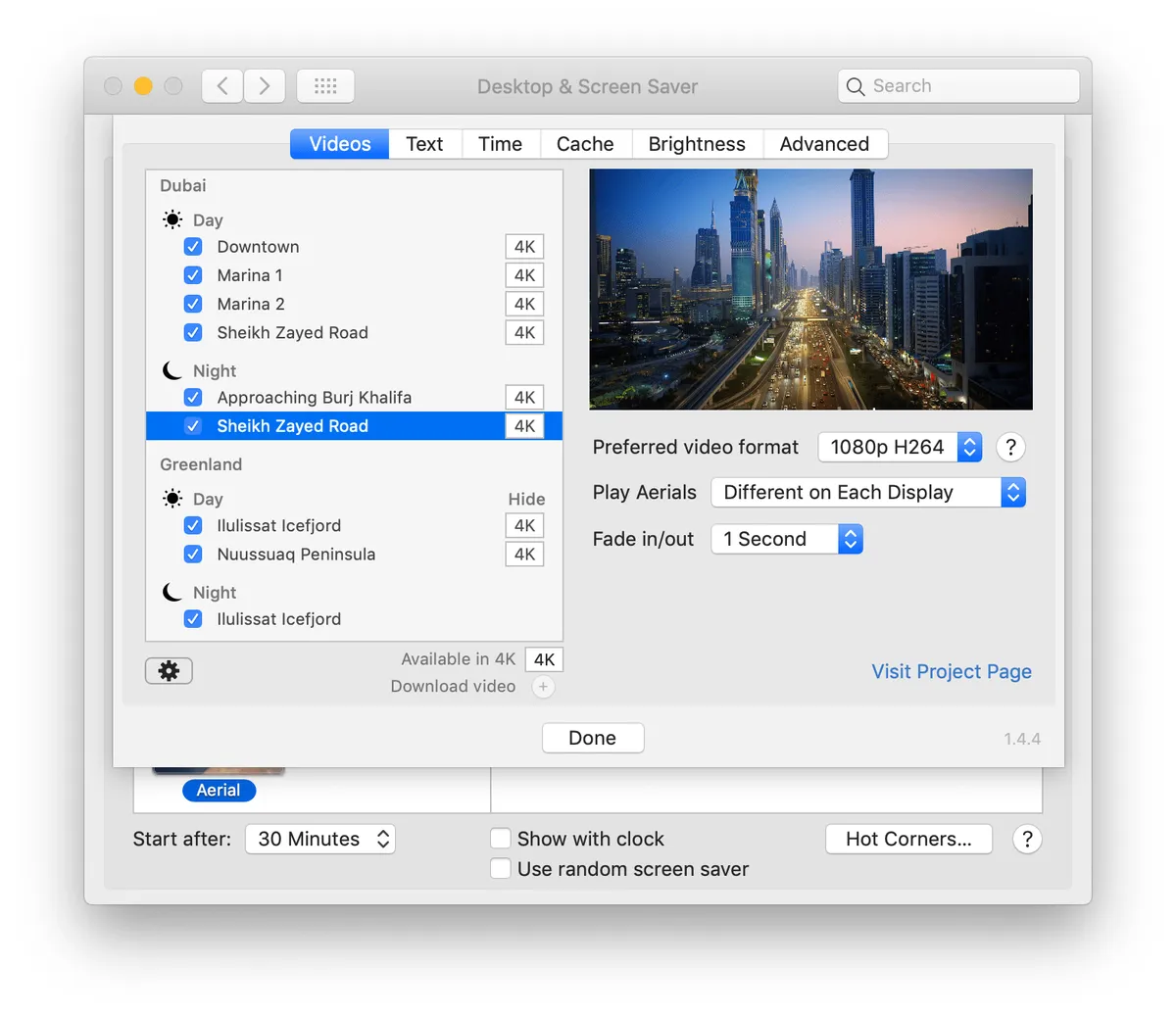
7. Aerial
Others · ⭐ 21k
Aerial brings the Apple TV's beautiful aerial videos to your Mac's screen saver: slow drone shots of cities, coastlines, and even space. You can pick which videos play and add the time or weather on top.
Screenshot: via open-source-mac-os-apps. Get it on GitHub
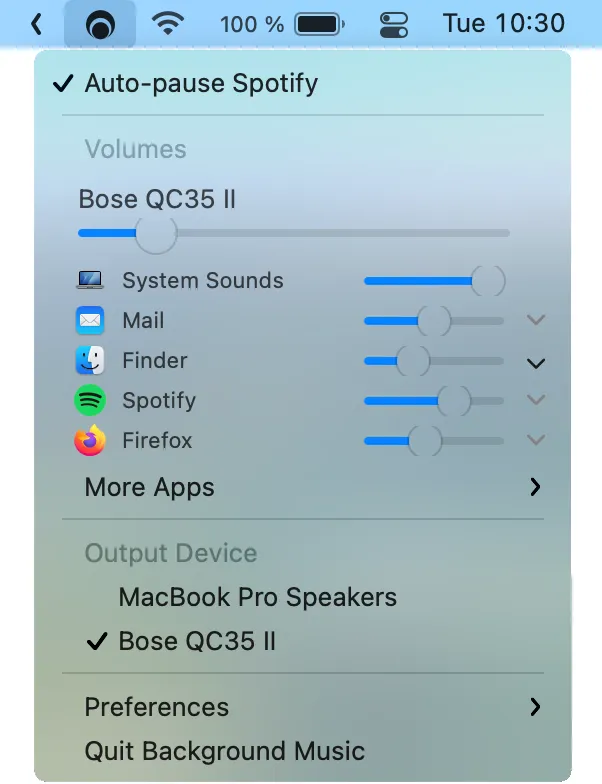
8. Background Music
Audio · ⭐ 19k
Background Music adds two things the Mac is missing: a volume slider for each app, and auto-pause, which pauses your music when another app starts playing sound and resumes it after. It can also record what your Mac is playing.
Screenshot: Background Music on GitHub. Get it on GitHub
9. iTerm2
Terminal · ⭐ 18k
iTerm2 has been the favorite Terminal replacement on the Mac for years. It adds split panes, search, a hotkey window that drops down from the top of the screen, and many small features that make the command line nicer.
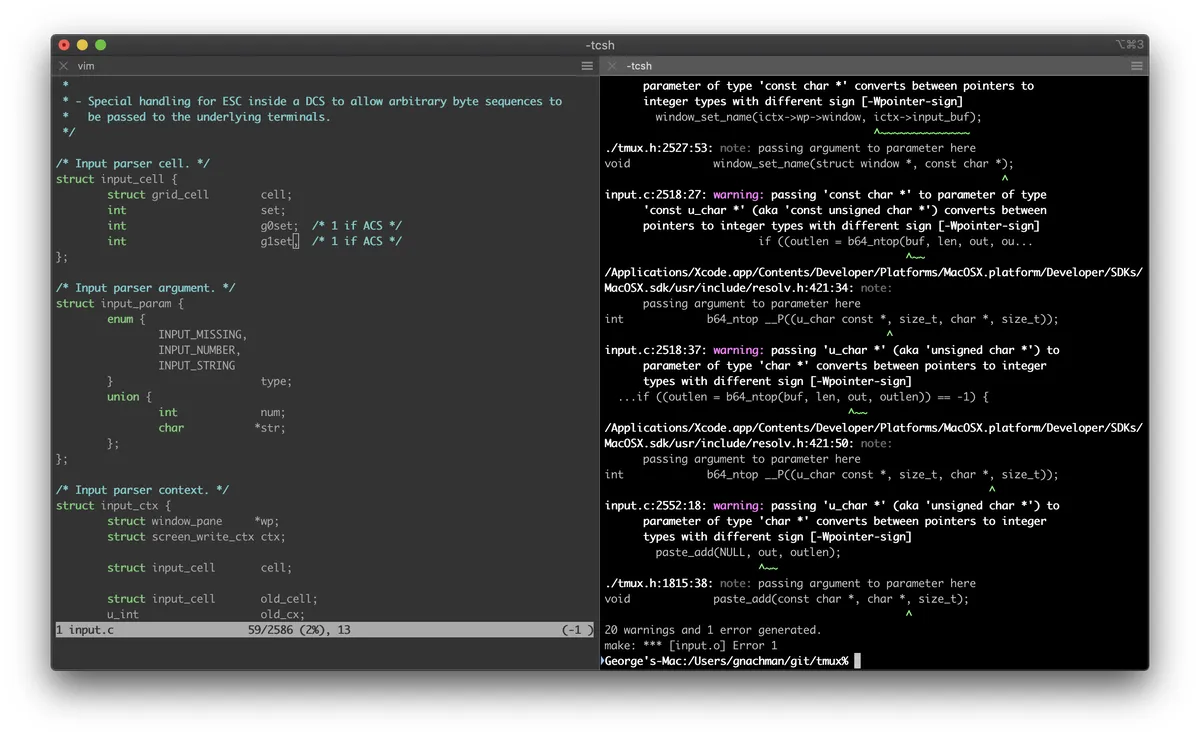
Screenshot: iterm2.com. Get it at iterm2.com · GitHub
10. BitBar (now xbar)
Utilities · ⭐ 18k
BitBar, now called xbar, puts the output of any script in your menu bar. Show a stock price, your build status, or the weather, refreshed on a timer, with hundreds of ready-made plugins to start from. Its last release was in 2021, but it still works.
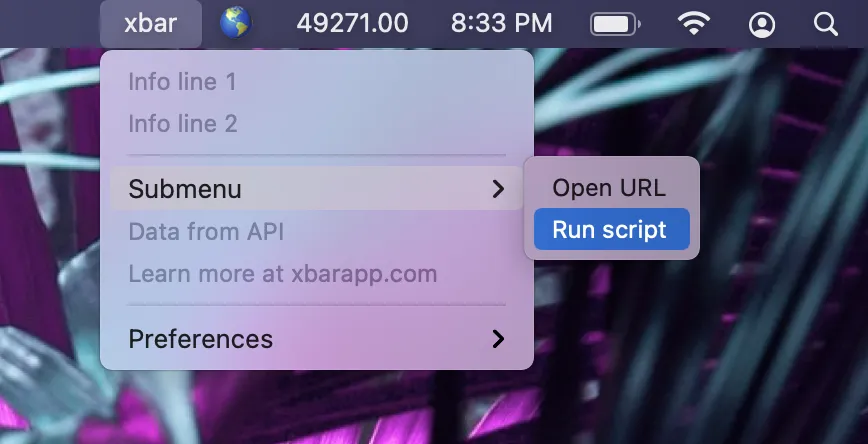
Screenshot: xbar on GitHub. Get it at xbarapp.com · GitHub
11. OpenEmu
Games · ⭐ 18k
OpenEmu plays retro games from consoles like the NES, SNES, Game Boy, Genesis, and PlayStation, all from one library that looks like iTunes for games. Plug in a controller and it just works. You need to supply your own game files.
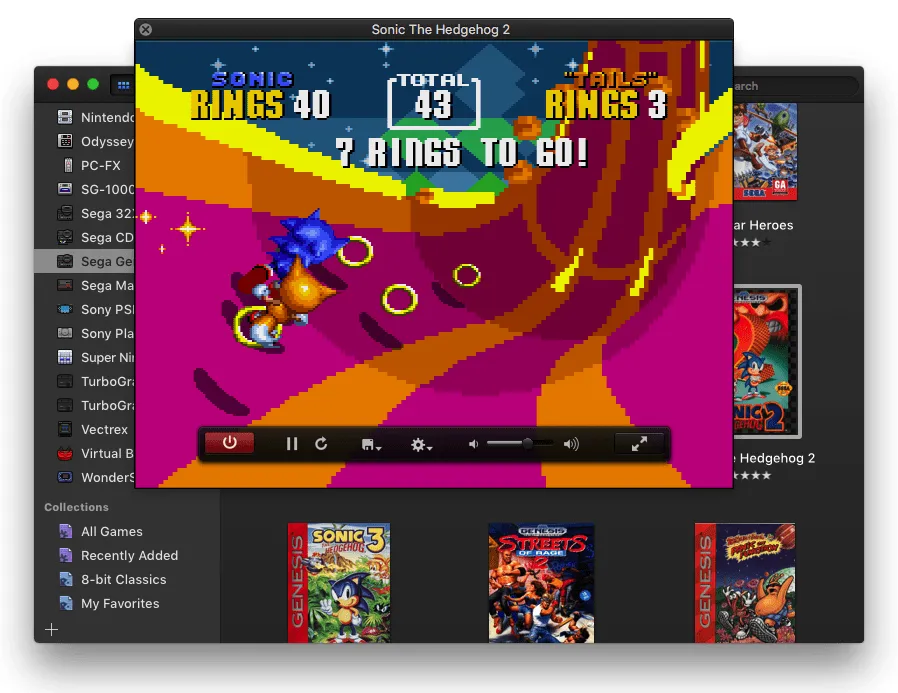
Screenshot: openemu.org. Get it at openemu.org · GitHub
12. Amethyst
Window Management · ⭐ 16k
Amethyst automatically tiles your windows into neat layouts, like the Linux window manager xmonad. Unlike yabai, it needs no special setup: install it, grant permission, and choose a layout from the keyboard.
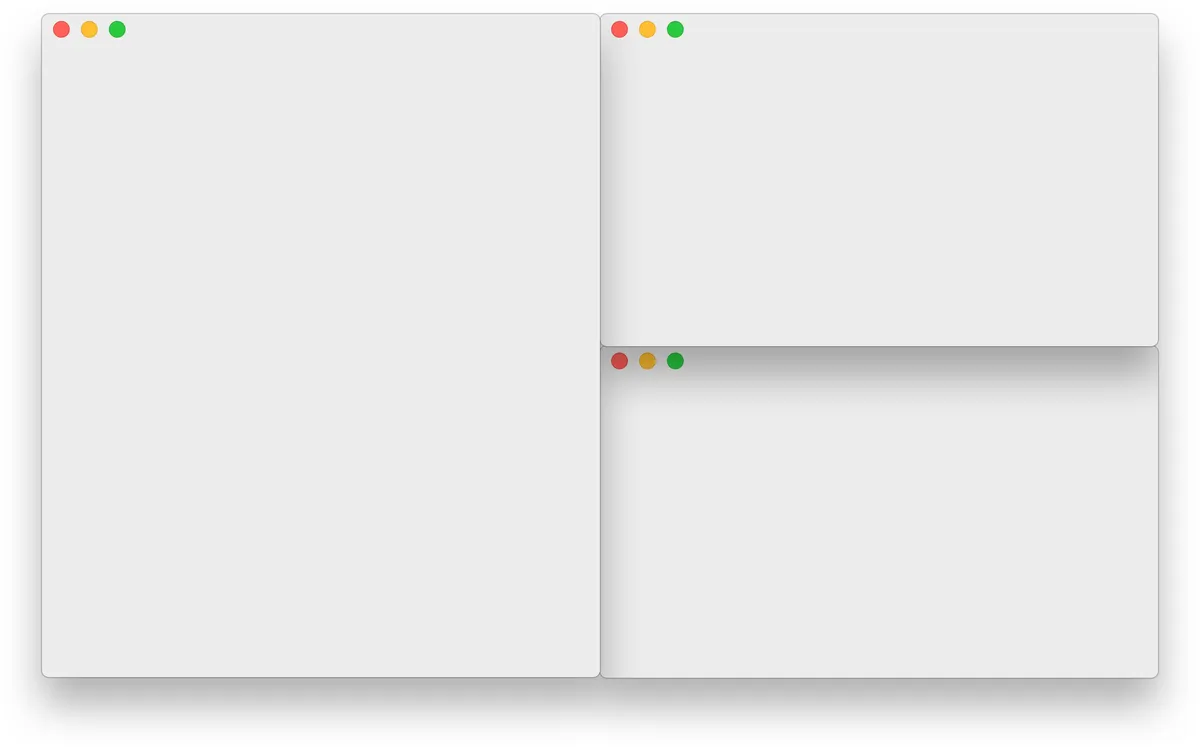
Screenshot: ianyh.com. Get it at ianyh.com/amethyst · GitHub
13. Hammerspoon
Window Management · ⭐ 16k
Hammerspoon lets you automate your Mac with small Lua scripts. Move windows, react when you plug in a monitor or join a Wi-Fi network, or create your own keyboard shortcuts. It has no interface of its own. You write a config file, so it is for people who like to tinker.
Get it at hammerspoon.org · GitHub
14. Dolphin
Games · ⭐ 16k
Dolphin plays Nintendo GameCube and Wii games on your Mac, often at higher resolution than the original consoles. It runs natively on Apple Silicon. As with any emulator, you need your own game files.
Get it at dolphin-emu.org · GitHub
15. Transmission
Sharing Files · ⭐ 15k
Transmission is a simple, lightweight torrent app that feels at home on the Mac. No ads, no clutter, just your downloads. If qBittorrent feels like too much, start here.
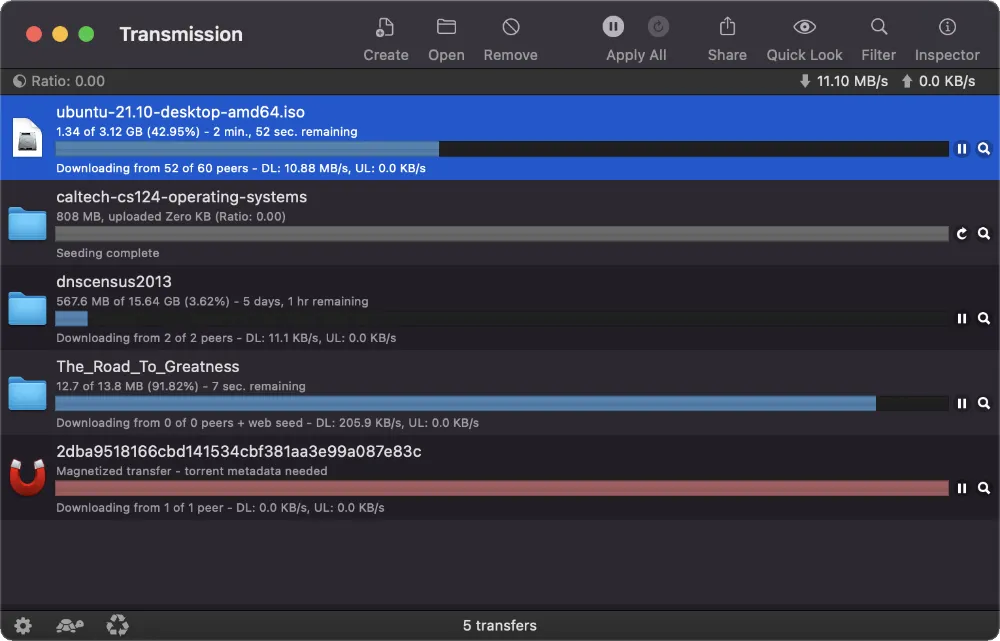
Screenshot: transmissionbt.com. Get it at transmissionbt.com · GitHub
16. TextMate
Editors · ⭐ 15k
TextMate is a classic Mac text editor that inspired many modern ones, including Sublime Text. It is fast and simple, with "bundles" that add support for languages. Updates have been rare in recent years.
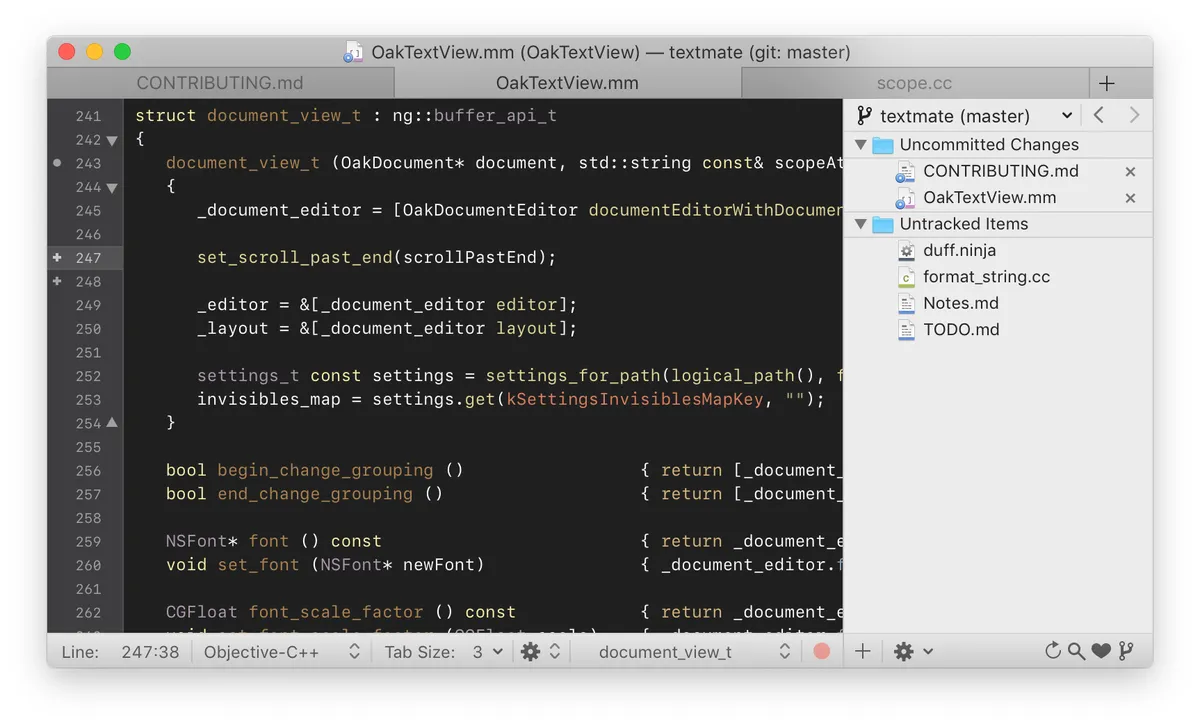
Screenshot: TextMate on GitHub. Get it at macromates.com · GitHub
17. NoteGen
Productivity · ⭐ 13k
NoteGen is a Markdown notes app built around "capture first, organize later." Save quick thoughts, screenshots, and links as they come, then use AI to turn a pile of fragments into a clean note. Your notes stay as local Markdown files.
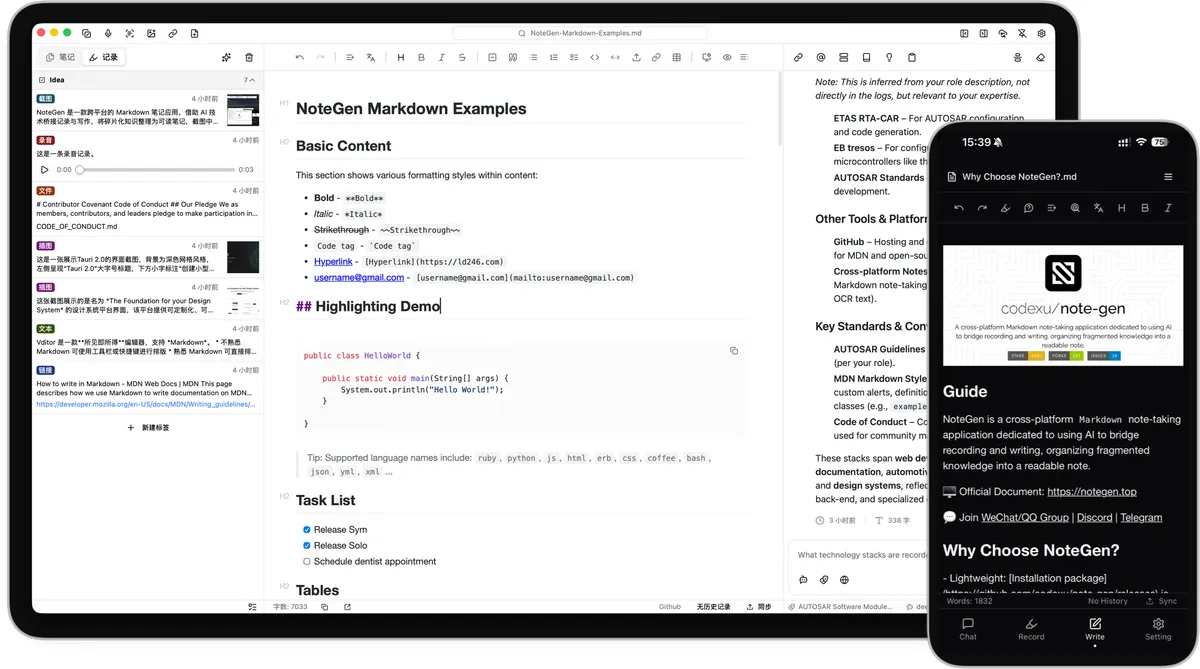
Screenshot: NoteGen on GitHub. Get it at notegen.top · GitHub
18. GitUp
Developers · ⭐ 12k
GitUp is a fast, visual Git app for the Mac. It shows your project's history as a live graph that you can edit directly, and it lets you undo almost any Git action. A great way to make Git less scary.
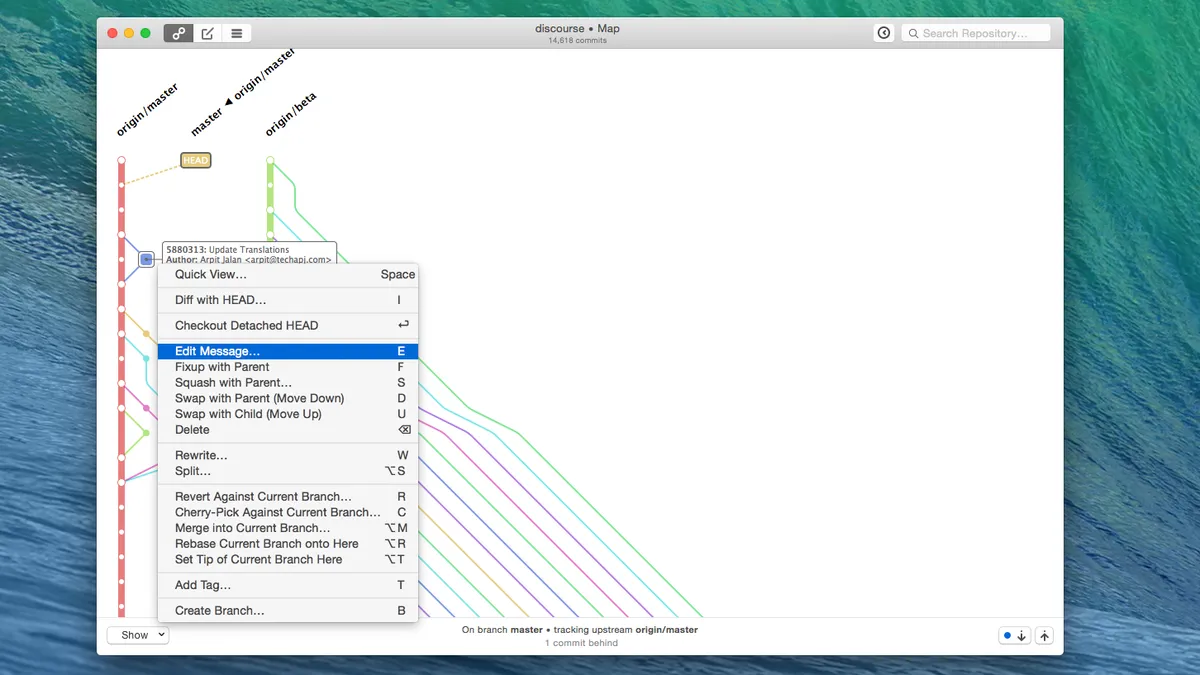
Screenshot: via open-source-mac-os-apps. Get it at gitup.co · GitHub
19. Boring Notch
Utilities · ⭐ 11k
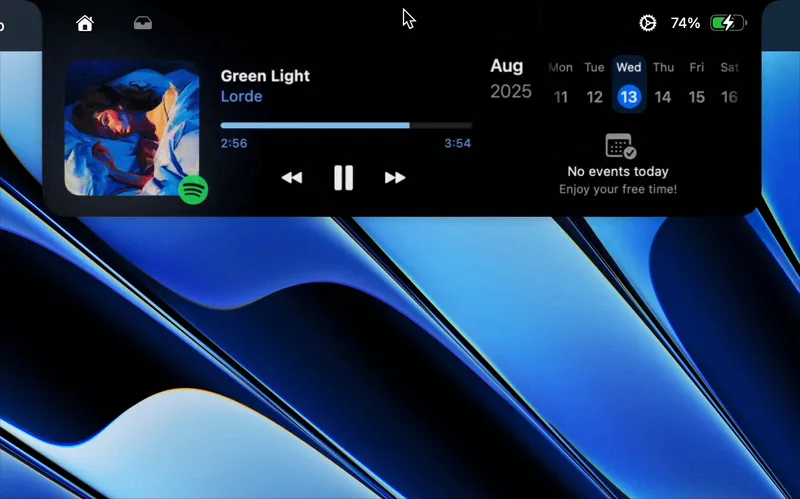
Boring Notch turns the notch on your MacBook into something useful, like the iPhone's Dynamic Island. Hover over it to see music controls, a calendar, and a file shelf. On first launch you need to approve it in Privacy and Security, because the app is not signed by Apple.
Screenshot: Boring Notch on GitHub. Get it on GitHub
20. NetNewsWire
News Readers · ⭐ 10k
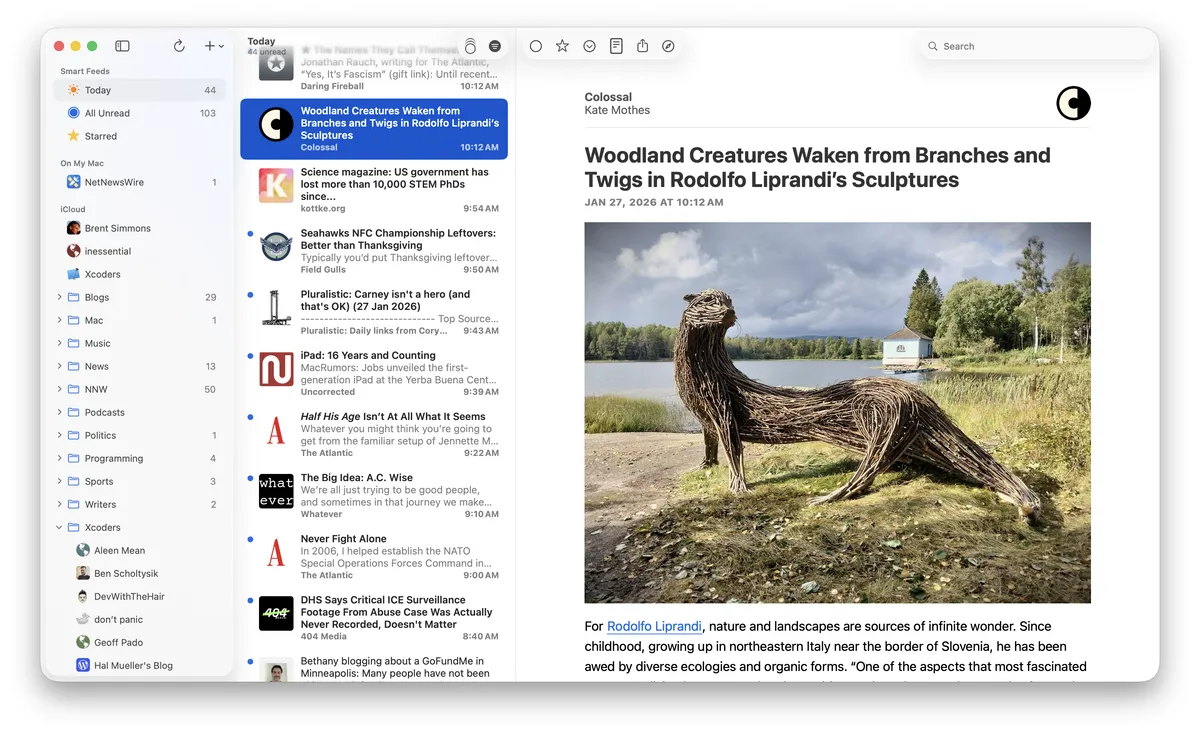
NetNewsWire is a free RSS reader for Mac and iPhone. Follow blogs and news sites in one place, with no algorithm deciding what you see. It is fast, private, and looks like it was made by Apple.
Screenshot: netnewswire.com. Get it at netnewswire.com · GitHub
21. ImageOptim
Developers · ⭐ 10k
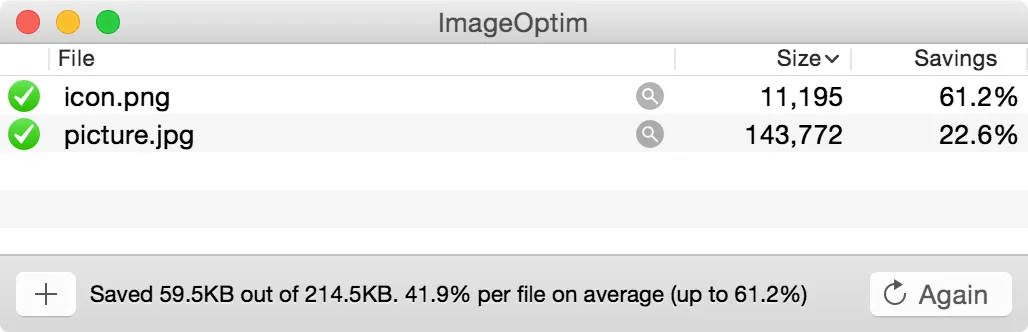
ImageOptim makes images smaller without changing how they look. Drag in PNGs or JPEGs and it compresses them and strips hidden data like location info. Great before you upload images to a website.
Screenshot: imageoptim.com. Get it at imageoptim.com/mac · GitHub
22. MacDown
Utilities · ⭐ 10k
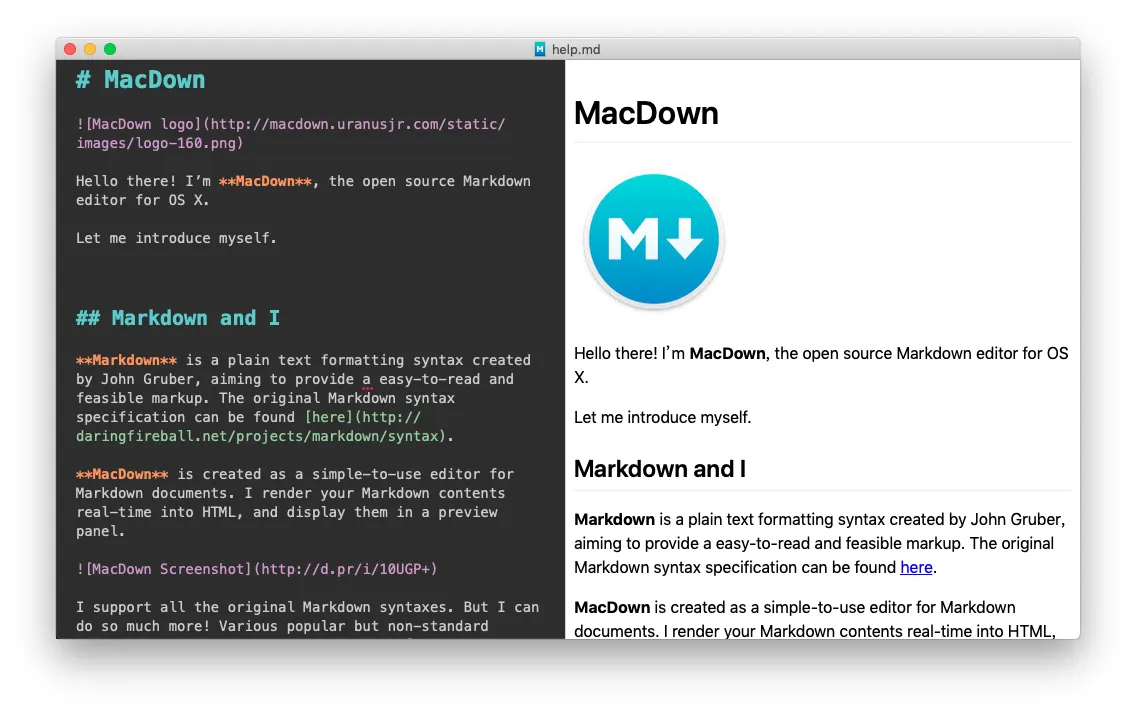
MacDown is a simple Markdown editor with a live preview next to your text. It is light and easy, but it has not been updated since 2023, so MarkText is a more modern pick.
Screenshot: MacDown on GitHub. Get it at macdown.uranusjr.com · GitHub
23. Sequel Pro
Developers · ⭐ 9k
Sequel Pro was the classic Mac app for managing MySQL databases. It is no longer developed, and its last release was in 2016. Its maintained successor, Sequel Ace, is free and works the same way, so install that instead.
Get it on GitHub
24. WWDC
Developers · ⭐ 9k
This unofficial WWDC app lets you watch Apple's developer conference sessions on your Mac. You can search transcripts, bookmark moments, and download videos to watch offline. Mainly for Apple developers.
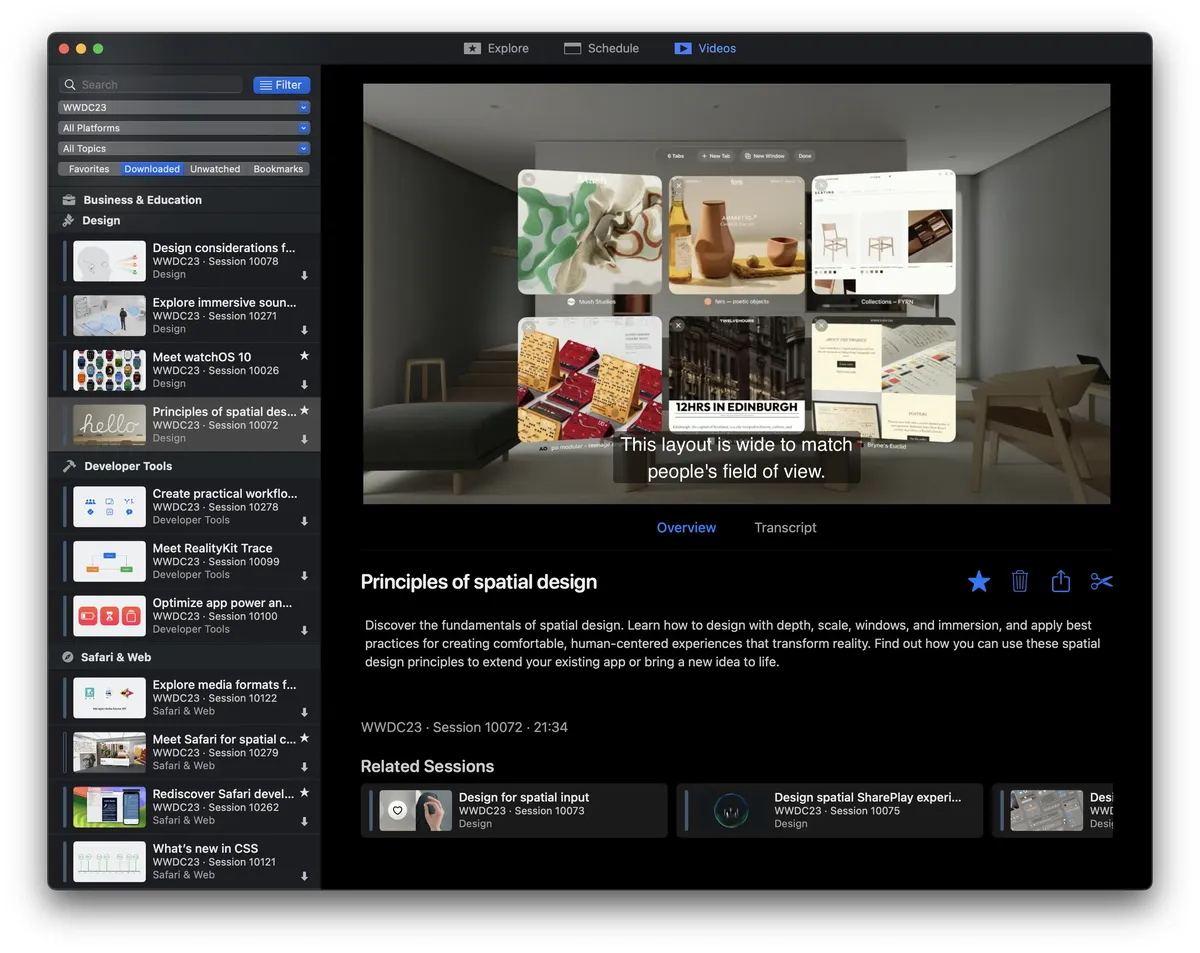
Screenshot: WWDC on GitHub. Get it at wwdc.io · GitHub
25. Xcodes
Developers · ⭐ 9k
Xcodes makes it easy to install and switch between versions of Xcode, Apple's developer tool. It downloads much faster than the App Store and lets you keep several versions side by side. Mainly for iPhone and Mac developers.
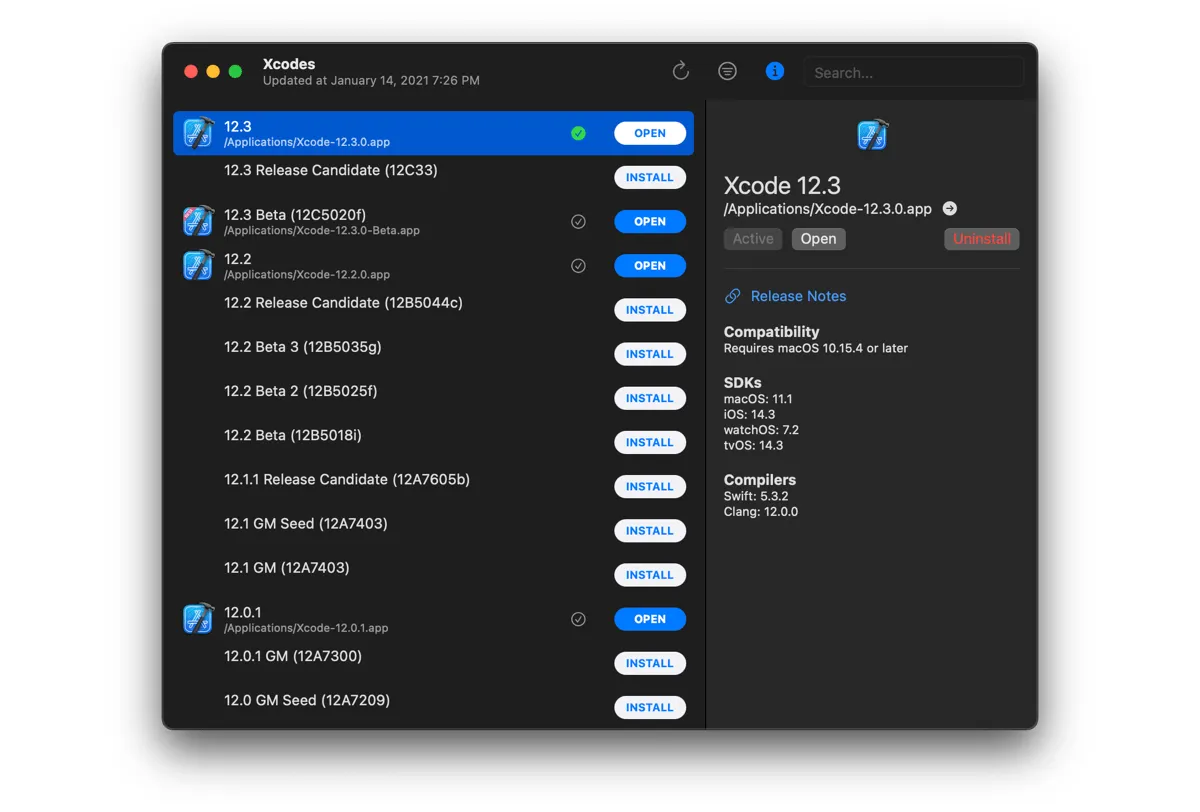
Screenshot: Xcodes on GitHub. Get it at xcodes.app · GitHub
Closed-source favorites in this list
Here are the top ten closed-source apps installed most often in the past year, according to Homebrew's public install numbers.
- Sublime Text · Paid · 62k Homebrew installs: a fast, polished text and code editor. You can try it for free before buying a license.
- 1Password · Paid · 59k Homebrew installs: a password manager that fills in logins, cards, and addresses for you, with a subscription.
- AppCleaner · Free · 49k Homebrew installs: drag an app onto it to delete the app along with its leftover files. More in my post on uninstalling Mac apps.
- Keka · Free · 43k Homebrew installs: creates and opens zip, 7z, rar, and many other archive formats. It is free from the website and paid on the App Store, which supports the developer.
- Mounty · Free · 30k Homebrew installs: lets you write to NTFS drives formatted on Windows, which macOS can normally only read.
- TablePlus · Paid · 29k Homebrew installs: a fast, native database app for PostgreSQL, MySQL, SQLite, and more. The free version has limits.
- Alfred · Free + paid Powerpack · 24k Homebrew installs: a launcher and Spotlight replacement. The paid Powerpack adds workflows, clipboard history, and snippets.
- The Unarchiver · Free · 23k Homebrew installs: opens almost any archive file, including rar and 7z.
- Sourcetree · Free · 16k Homebrew installs: a visual Git app from Atlassian.
- OnyX · Free · 14k Homebrew installs: runs maintenance tasks, clears caches, and unlocks hidden settings.
Other GitHub lists worth checking
These lists are worth a bookmark too:
- awesome-mac (⭐ 115k): the biggest curated list of Mac apps, free and paid, with over 1,300 entries. I picked the 25 most-starred apps from it.
- open-source-mac-os-apps (⭐ 51k): only open-source Mac apps, with screenshots and the programming language for each one. I picked the 25 most-starred apps from it.
- herrbischoff/awesome-macos-command-line (⭐ 31k): Terminal tricks to change hidden settings and do more from the command line. It is archived now, but still a great reference.
- mathiasbynens/dotfiles (⭐ 31k): the famous
.macosscript that sets up sensible defaults, mostly for developers. - macOS Security and Privacy Guide (⭐ 23k): a detailed guide to locking down your Mac.
- awesome-macos-screensavers (⭐ 4k): just for fun, a list of screensavers.
- awesome-windows (⭐ 3k): the same idea for Windows. Handy for finding the Mac version of an app you used to rely on.
- awesome-swift-macos-apps (⭐ 2k): open-source Mac apps written in Swift, from the same maintainer as awesome-mac.
- awesome-native-macosx-apps (⭐ 2k): native Mac apps only, nothing built on Electron. I combined it with four other lists to find the 25 most-starred native Mac apps.
One more thing
You do not need all 25. Pick the two or three that fix something that annoys you today, and come back to the list when something else does.
Also check out the apps I actually run day to day.
Frequently asked questions
What is awesome-macOS?
awesome-macOS is a hand-picked list of Mac apps and tools on GitHub, created by iCHAIT in 2015. It has about 280 apps in 19 categories and over 19,000 stars, plus guides for setting up a new Mac.
What is the most-starred app on awesome-macOS?
As of October 2026, the most-starred app on awesome-macOS is IINA, with about 47,000 GitHub stars. mpv (37,000) and MonitorControl (34,000) come next.
Does awesome-macOS include paid apps?
Yes. About half the apps are open source, and the rest are paid or closed-source apps. Based on Homebrew installs, the most popular are Sublime Text, 1Password, and AppCleaner.
How is awesome-macOS different from awesome-mac?
awesome-macOS is smaller and more selective, with about 280 apps and setup guides. awesome-mac is much bigger, with more than 1,300 apps, and is updated almost every day.